Greetings SQL developer
Learn and practice SQL on your own MySQL, PostgreSQL, MariaDB, Oracle instances.
Usage
Use tabs to switch between multiple SQL editors
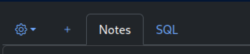
First tab is the Notes section
Other tabs have SQL editor to type and execute your SQL queries.
Click '+' to add more tabs
Select Database Management System (MySQL, Postgres) from the drop down
Click "Run" button to execute your SQL code

- Results from your query will be displayed in the right pane.
Also available
Puzzles
Try your hand at some SQL puzzles
Data generators
- CSV to SQL
- JSON to SQL
SQL Output
Sailor
Public Sailor
Contents
1Notes Notes
2SQL SQL
3Tab-3 SQL
4Tab-3 SQL
5Tab-5 SQL
4 SQL 1 Notes
Switch to a SQL tab and press Alt+Enter to run queries